Returning users login for discounts :

Create a new account...
or continue as guest.

Your shopping cart

ProductQuantityPrice
Dualism2586USD605,611.13
Limitless817USD163,997.21
TrackDS843USD45,116.06
Compassion445USD89,325.29
EQuick896USD89,921.49
PitchFunk842USD84,502.11
TrackComp 2785USD89,287.28
TrackControl781USD0.00
Multiplicity218USD51,053.07
TrackGate814USD43,564.02
Expurgate885USD118,427.33
TrackLimit457USD24,457.94
EQuality1746USD233,643.07
EQuilibrium165USD38,641.09
Essence2233USD298,811.56
TrackMeter1108USD59,298.44
 Total :USD2,035,657.02 
 Discount :-USD712,549.47 
Your Price :USD1,323,107.55 
Please be advised that non-GBP prices are approximate and based on current exchange rate. The exact amount you will be charged is £988,651.10
Use the form above to pay with credit/debit cards, or click the logo to the right to use Paypal:

Your shopping cart

  • Dualism (2586)

  • Limitless (817)

  • TrackDS (843)

  • Compassion (445)

  • EQuick (896)

  • PitchFunk (842)

  • TrackComp 2 (785)

  • TrackControl (781)

  • Multiplicity (218)

  • TrackGate (814)

  • Expurgate (885)

  • TrackLimit (457)

  • EQuality (1746)

  • EQuilibrium (165)

  • Essence (2233)

  • TrackMeter (1108)

  • Discount :

    -USD712,549.47

  • Subtotal :

    USD1,323,107.55

  •  


How to Install on Windows

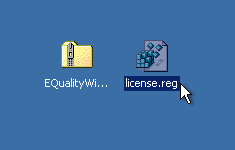
You need two files to install; the plugin installer and the license file. Both are available from the downloads page once you're logged in. If you're using a demo, download the installer from the site, and use the form to have your license file emailed to you.
EQ_Win_Files.png

Double-click license.reg, and this box will open:
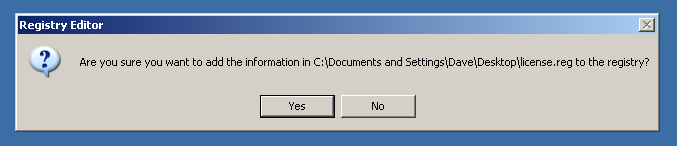
EQ_Win_regedit.png

Click "Yes" and the license is installed.

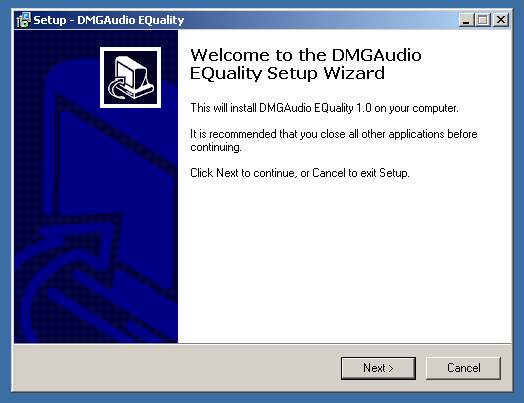
Now double-click the zip-file which contains the installer. Double-click the installer; it will look like this:
EQ_Win_installer.png

Click "next" (changing any options if you need to), and EQuality is installed!

Reload your host, and enjoy!

How to Install on OS X

You need two files to install; the plugin installer and the license file. Both are available from the downloads page once you're logged in. If you're using a demo, download the installer from the site, and use the form to get your license file emailed to you.
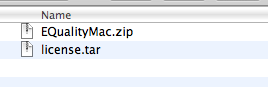
EQ_Mac_Files.png

If you are using Safari, one or both of these files may be automatically unzipped for you. If not, double-click them to decompress them, so you get this:
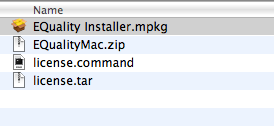
EQ_Mac_Unzipped.png

Double-click "license.command" to install the license. The license will install, and you'll get the following message to confirm:
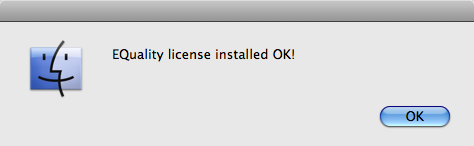
EQ_Mac_OK.png

Now double-click the installer, and it will launch. It looks like this:
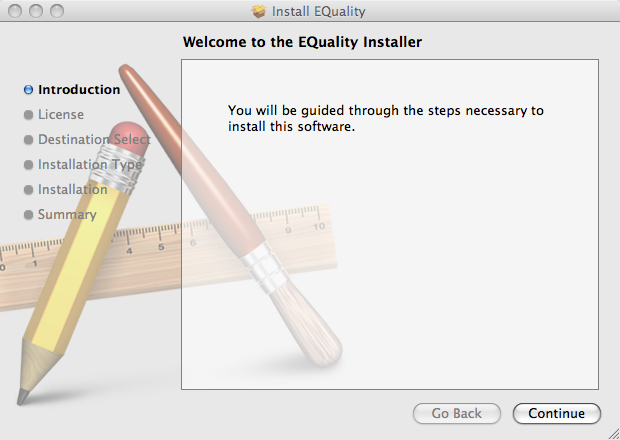
EQ_Mac_Installer.png

Click through until it installs, and everything is set!

Now relaunch your host and enjoy!