Returning users login for discounts :

Create a new account...
or continue as guest.

Your shopping cart

ProductQuantityPrice
TrackMeter1023USD 53,096.80
TrackComp 24USD 441.24
Dualism987USD 224,166.97
Compassion764USD 148,729.43
Essence691USD 89,675.93
Limitless759USD 147,756.07
EQuality752USD 97,592.32
Expurgate796USD 103,302.51
EQuick675USD 65,697.43
Multiplicity475USD 107,881.78
TrackLimit802USD 41,626.23
PitchFunk498USD 48,470.11
TrackGate409USD 21,228.34
TrackDS620USD 32,179.88
52USD 0.00
EQuilibrium397USD 90,166.45
 Total :USD 1,272,011.42 
 Discount :-USD 445,247.84 
Your Price :USD 826,763.58 
Please be advised that non-GBP prices are approximate and based on current exchange rate. The exact amount you will be charged is £637,000.98
Use the form above to pay with credit/debit cards, or click the logo to the right to use Paypal:

Your shopping cart

  • TrackMeter (1023)

  • TrackComp 2 (4)

  • Dualism (987)

  • Compassion (764)

  • Essence (691)

  • Limitless (759)

  • EQuality (752)

  • Expurgate (796)

  • EQuick (675)

  • Multiplicity (475)

  • TrackLimit (802)

  • PitchFunk (498)

  • TrackGate (409)

  • TrackDS (620)

  • (52)

  • EQuilibrium (397)

  • Discount :

    -USD 445,247.84

  • Subtotal :

    USD 826,763.58

  •  


How to Install on Windows

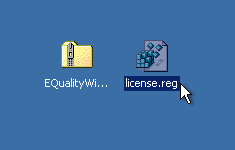
You need two files to install; the plugin installer and the license file. Both are available from the downloads page once you're logged in. If you're using a demo, download the installer from the site, and use the form to have your license file emailed to you.
EQ_Win_Files.png

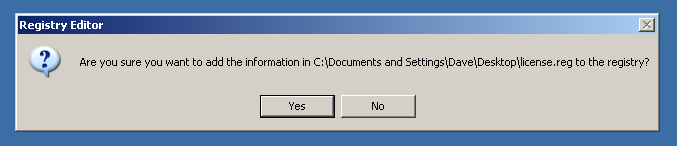
Double-click license.reg, and this box will open:
EQ_Win_regedit.png

Click "Yes" and the license is installed.

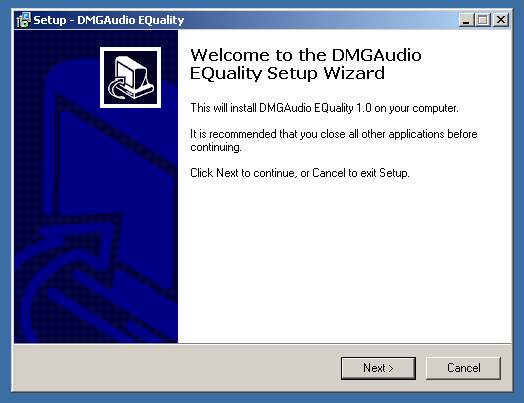
Now double-click the zip-file which contains the installer. Double-click the installer; it will look like this:
EQ_Win_installer.png

Click "next" (changing any options if you need to), and EQuality is installed!

Reload your host, and enjoy!

How to Install on OS X

You need two files to install; the plugin installer and the license file. Both are available from the downloads page once you're logged in. If you're using a demo, download the installer from the site, and use the form to get your license file emailed to you.
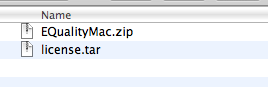
EQ_Mac_Files.png

If you are using Safari, one or both of these files may be automatically unzipped for you. If not, double-click them to decompress them, so you get this:
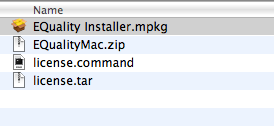
EQ_Mac_Unzipped.png

Double-click "license.command" to install the license. The license will install, and you'll get the following message to confirm:
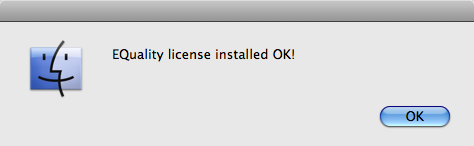
EQ_Mac_OK.png

Now double-click the installer, and it will launch. It looks like this:
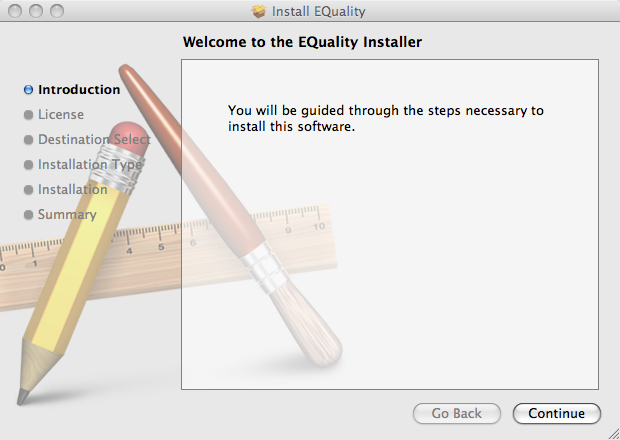
EQ_Mac_Installer.png

Click through until it installs, and everything is set!

Now relaunch your host and enjoy!